Features
What Elija OS does differently
Not a feature zoo, but decisions: everything here exists because daily life with a child with additional needs demanded it.

The ones that matter most

Feature
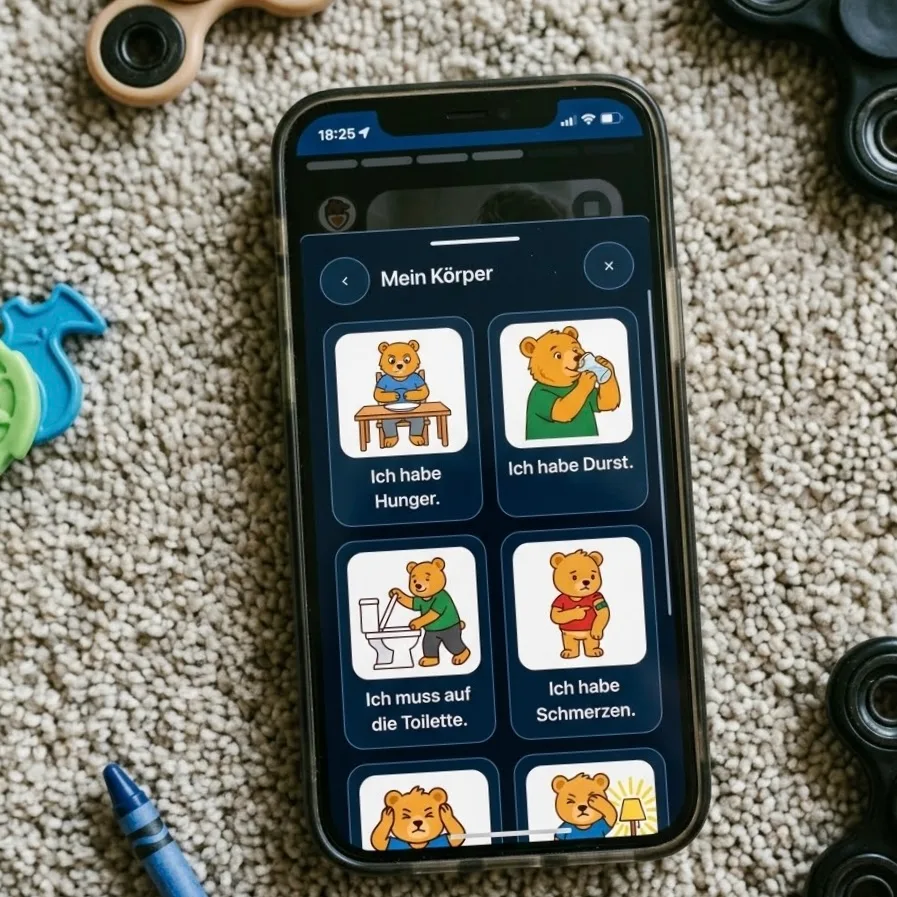
A talker with superpowers
Your child speaks in their own voice — and steers their day with it.
Most talkers speak in a robot voice and end up in a cupboard. Here you hear your child's own voice, even when they are nonverbal, because you record each sentence once and it stays forever. And every sentence does something: it books energy, shifts activities, and arrives as a message on your phone wherever you are.

Feature
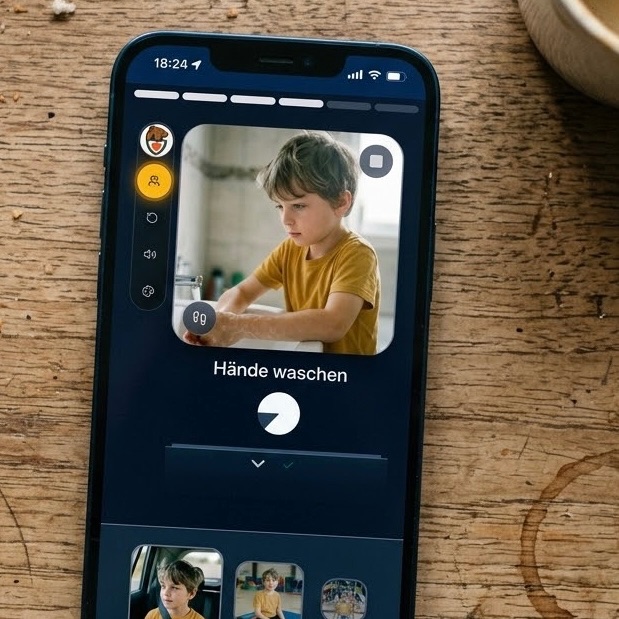
Only what's happening now
One picture, one task, never a whole day at once.
Wall charts show twelve hours at a time and overwhelm exactly the child they were meant to help. The child view shows one step only — big, calm, nothing competing for attention. What's done disappears; what's next arrives on its own.

Feature
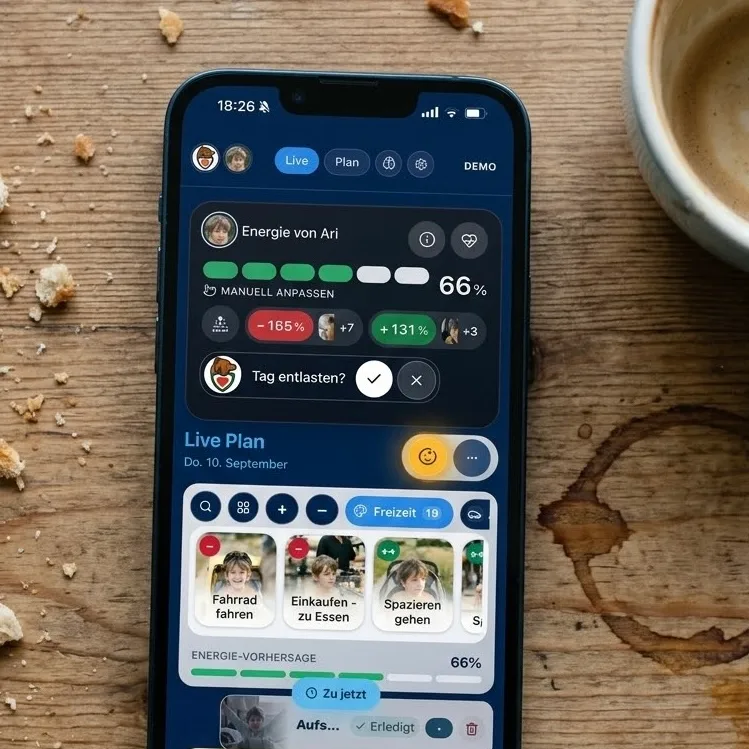
The energy budget
The day is calculated in strength, not just in clock time.
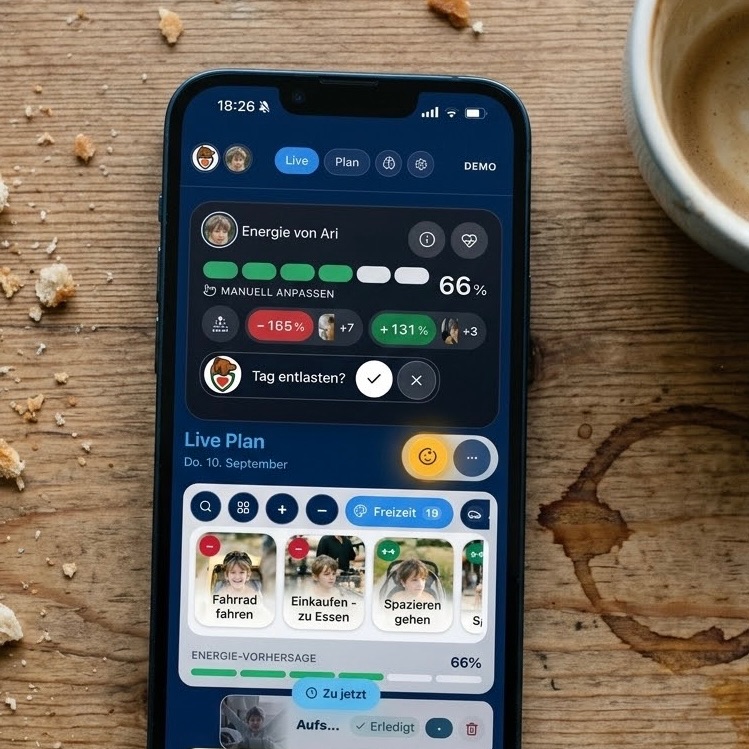
Calendars only know time — which is why they call a full day feasible long after the child has run empty. Elija OS books every activity, meal and talker sentence as a plus or minus against the energy level. You don't just see what's coming; you see whether it still fits today.
Child view
Feature
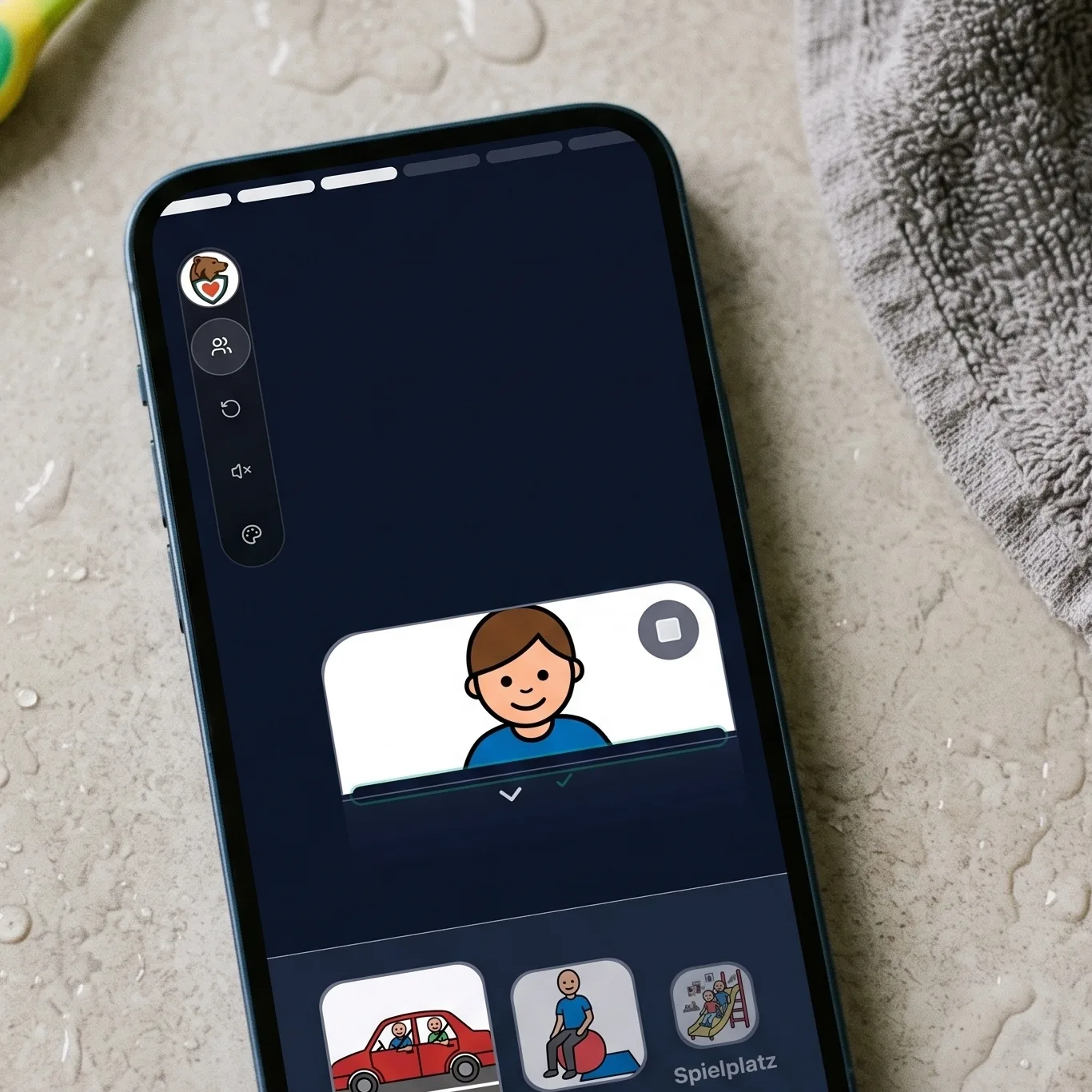
The done slot
Finishing feels like something — not like ticking a box.
A checkmark is abstract, and many children never get the feeling of actually being finished. Here your child slides the card into a real slot, feels the resistance, hears a short sound and watches the card disappear. Motion, sound and image together — a completion the body understands.
Feature
Micro-steps
"Brush your teeth" becomes five steps that are each doable.
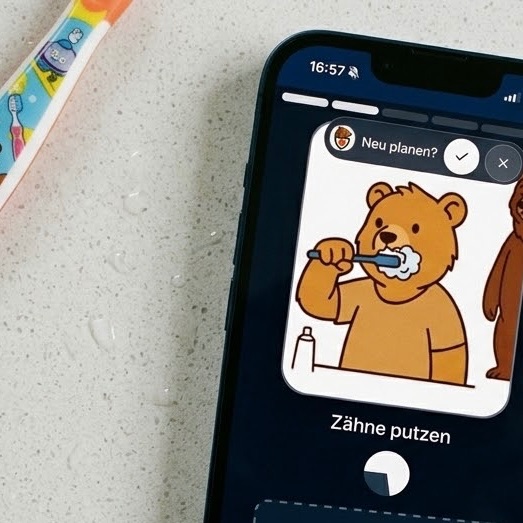
A task rarely fails because of willingness — it fails on one step inside it that is too big. You break any activity into micro-steps with their own picture and their own timing, and your child only ever sees the one that counts right now. Progress carries on by itself, without someone standing next to it.
Feature
The right to say no
Refusing is allowed — and it genuinely changes something.
In most systems a child is the recipient of a plan other people made. Here your child can refuse an activity and pick something they actually need instead. The day recalculates, you see the decision — and nobody has to argue about it.

Feature
Guided mode
The iPad stays on the plan — no YouTube, no swiping away.
A tablet with open access never becomes a calm anchor; it becomes a fight. The child view runs closed: no other apps, no ads, no accidental exit, and leaving takes a parent gesture. The device hangs on the wall and does exactly one thing.

Feature
Your own picture worlds
Your child recognises their own world, not a stranger's pictogram.
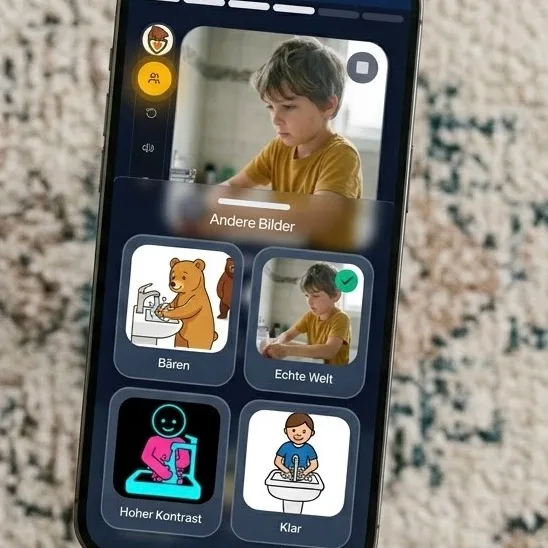
Standard pictograms were made for institutions, not for your child. You pick a designed picture world or use real photos from your home — the same toothbrush, the same sofa. Recognition lowers the hurdle before anything has to be explained.
Feature
Sentences in a real family voice
Record once, speak forever — no cost per sentence.
Speech devices sound alien because the voice comes out of a database. Here you or a sibling record the sentence once, and from then on your child has it whenever they need it. Older takes are kept, so you can listen and bring one back without recording again.
Feature
Words stay where they are
Eight fixed places that never move.
When an app reshuffles its tiles, a child loses the motor memory and with it their speech. The talking surface has eight areas that always sit in the same spot — even when pictures, sentences or picture worlds change. New things get added; nothing wanders.
Feature
No side door to the internet
The child view has no exit a child stumbles into.
Tablets for children usually fail on the one button that suddenly leads to a shop or a video. This view has no ads, no camera and no open chat. Getting back to the parent view takes a deliberate step.
The running day


Feature
The day writes itself down
Every sentence lands where the day actually was.
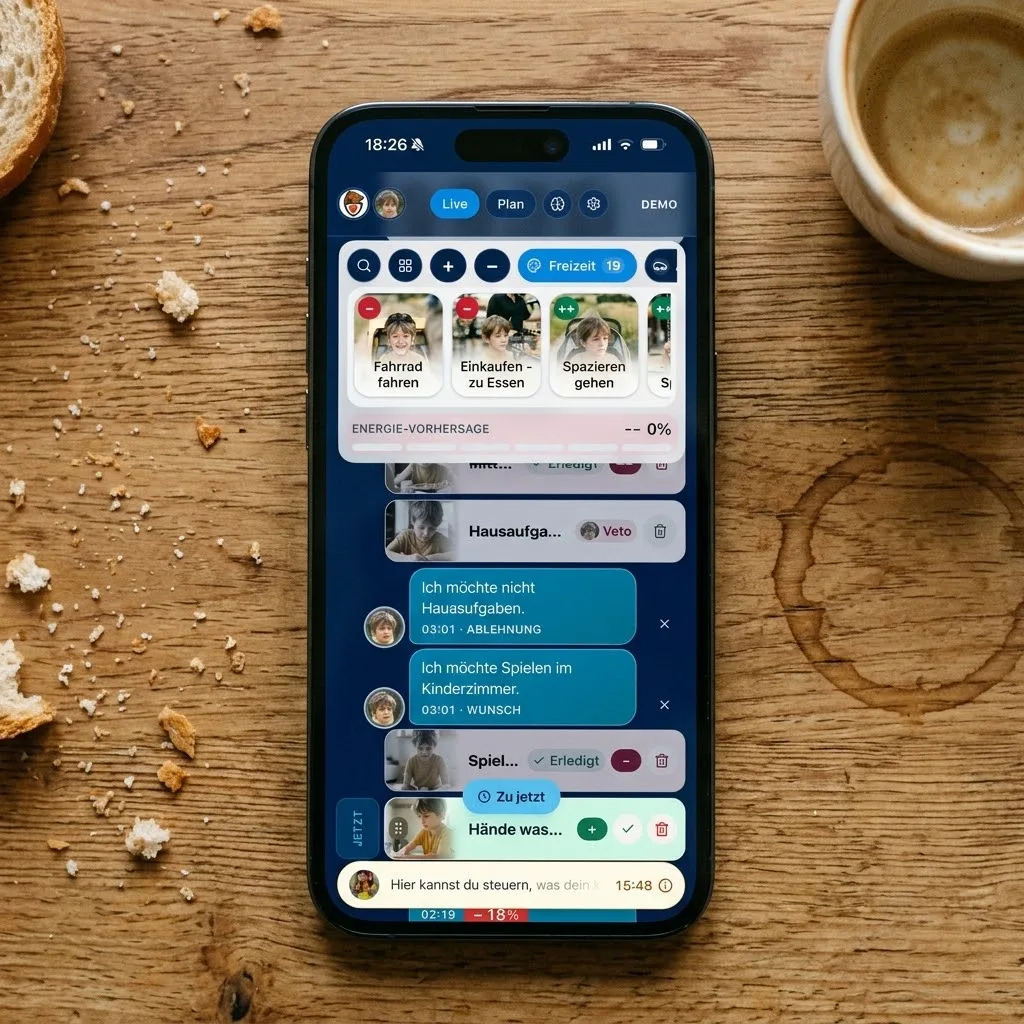
Messages in a chat lose their context within the hour. Here every talker sentence sits under the activity that was running — with the time and the energy it booked. In the evening you don't read a chat log, you read your day.

Feature
Days that don't end at midnight
A long evening stays the same day.
Software flips to tomorrow at midnight — families don't. Here the day runs on into the night, and you can still close it out at two in the morning without data landing on the wrong date. It sounds small and it saves every analysis you'll ever run.

Feature
Parents on the loop
You don't decide everything — but you learn everything.
Either parents click every detail themselves, or a system does things out of sight. Here your child books for themselves, you see every entry in plain words, and one tap corrects it. Oversight without micromanagement.

Feature
You can see what costs strength
Every activity carries its energy value in the open.
Overload rarely comes from one big event; it comes from three small ones in a row. Every activity and every sentence carries an energy value you can set yourself. That way you see the crash coming before it happens.

Feature
What was said stands where the day was
Every message is anchored to the activity that was running.
A chat log tells you when something was said, but not what it was about. Here every sentence is anchored to the activity that was running at that moment, with the time and the energy effect. Looking back, the day reads like a record, not a list.
Day planning

Feature
Replanning without losing history
Whatever already happened today stays untouched.
In ordinary planners a new template overwrites the whole day, including everything that already happened. Elija OS cuts the day at now: the past is locked, only the future gets rebuilt. You can throw out the afternoon without losing the morning.

Feature
Relief mode
One tap turns a full day into a doable one.
On bad days you're missing exactly the strength it takes to repair the plan — and then everything escalates. Here one tap takes load out of the day: the optional falls away, breaks come in, the order still makes sense. Not a purge, a calm decision.

Feature
Flexible days
Holidays need structure, not clock times.
Fixed times on free days are an invention that only adds pressure. A flexible day shows the same activities as a sequence without a clock, and your child works through it at their own pace. The structure stays, the time pressure goes.
Feature
Quiet hours that actually hold
At night and during time-outs, the system stays silent.
Nothing is more cynical than a reminder at three in the morning after nobody slept. Notes and messages respect your quiet hours and bundle into the morning instead. Only something genuinely urgent may cross that line.
Feature
Routines as building blocks
Build a recurring sequence once, then drop it in.
Morning and bedtime rituals are half the day for a child with additional needs — and daily manual work in most apps. Here you save a sequence with all its pictures, times and micro-steps and drop it in within seconds. What you adjust on the day leaves the original untouched.
Bear & analysis

Feature
Bear thinks with you, not for you
Suggestions you accept or reject — never silent changes.
AI in family apps usually either does nothing useful or too much out of sight. Bear watches the day, proposes concrete adjustments and explains why — and nothing happens until you agree. You keep the responsibility and still save the mental load.

Feature
Patterns, not snapshots
Nobody holds weeks of correlation in their head.
A hard afternoon rarely has its cause on the same day — poor sleep, an appointment, a meal came first. Bear layers sleep, energy, food and events on top of each other and names what keeps returning. A gut feeling becomes a sentence you can also say at the doctor's.

Feature
Suggestions you can turn down
The Bear suggests; you decide.
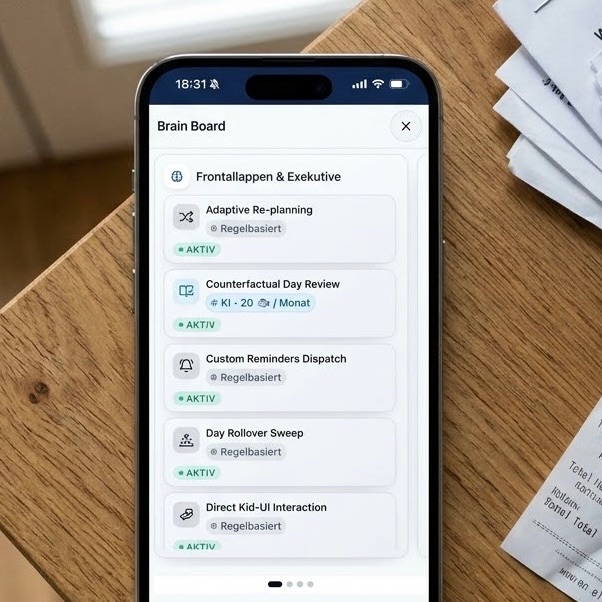
Automation that just acts turns parents into spectators in their own day. Every suggestion arrives as a suggestion: with a reason, a preview and a clear no. Patterns you reject don't come back in the same shape.

Feature
Notes with a source
What the Bear says, you can read up on.
Advice with no provenance is sadly the norm in the autism and ADHD space. Notes point to the studies they come from, and you can open them in the knowledge area. Where there is no study, it says so.
Bear in the background

Feature
Explainable prompts
Every prompt shows what it grew out of.
A recommendation without a reason is worthless with a child who has additional needs — and risky. Every prompt names the data behind it, and you can open the source right there. You don't have to believe it, you can check it.
Feature
No AI chat for your child
Deliberately closed — that's a feature, not a gap.
An open chatbot on a child's iPad is a risk no benefit outweighs. Your child only ever works with curated sentences and pictures you approved. The AI works where it belongs: with the parents, in the background.
Pictures & picture worlds
Feature
The picture workshop
If a picture is missing, it exists a minute later.
Symbol sets ship finished, which is why they never quite fit. Here you take a photo or have one generated in the style of your picture world — either way it lands on the right concept immediately. And you can always tell which is a photo and which was designed.
Feature
One picture per picture world
The style changes, your work stays.
In most systems switching the design devalues everything you collected. Here every concept holds one picture per world, and you can assign an existing picture to more worlds without uploading or generating it again. Nothing overwrites anything.
Feature
One picture, usable everywhere
Assign an existing picture to other picture worlds — at no extra cost.
If you maintain four picture worlds, you don't want to create the same picture four times. An existing picture can be assigned to more worlds, or to all of them, without an upload and without generating again. And nothing quietly overwrites another picture.
Feature
Your own bathroom, not a symbol
Photos from the real home instead of generic pictograms.
A standard pictogram shows some bathroom — not the one your child stands in every morning. You can use your own photos alongside generated pictures, and it stays visible which is which. Where nothing exists, a clear symbol steps in.
Food
Feature
Log food without a fight
A tap on a picture, not a food diary.
Food diaries fail because they ask for typing and estimating exactly when everything is already on fire. Here your child — or you — taps the picture of a food, and that is the whole entry. One second builds the series that later makes connections visible.
Feature
Safe foods taken seriously
Your words, your kitchen — not a stranger's food list.
Selective eating isn't a nutrition mistake, it's a fact to work with. You keep exactly the foods that exist in your home, with your names and pictures, and your child can name and ask for them. Nothing gets judged, everything becomes usable.
Feature
Meals in one tap
No calorie form, just what was actually eaten.
Food diaries fail on the logging, not on the interest. Here you tap the food the family already knows, and the day is documented. A double tap doesn't land twice in the record.
Body data
Feature
Body data in context
Heart rate and sleep next to what actually happened.
Health apps show curves with no life beside them, which is why they say nothing. Here the values from a watch or ring sit right next to the activities, meals and talker sentences of the same day. Only then does a spike become an explanation.
Feature
Early warning, not hindsight
You hear about a strain while it is happening.
Learning in the evening that heart rate spiked at noon helps nobody. Unusual patterns speak up while the day is running — and they name what was happening, not just a number. That's early enough to act before it escalates.
Feature
Sleep in context
Nights next to the day that came before them.
A sleep curve on its own explains nothing. Here nights sit next to the same day's activities, food and energy, so connections become visible. A hunch turns into something you can show at an appointment.

Die Forschung dahinter
The Intense World Theory: „Wie nimmt mein Kind die Welt wahr?“
The Intense World Theory – A unifying theory of the neurobiology of autism
Logbook
Feature
A logbook in seconds
Your own measurements, with nobody typing.
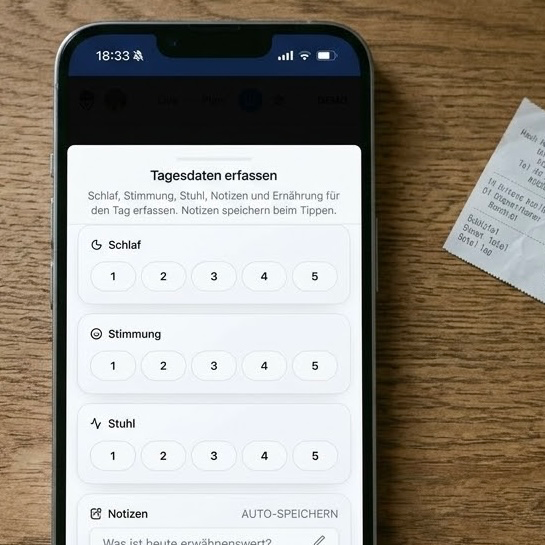
Everything parents are told to track daily dies on keyboards and forms. You define your own values — mood, medication, bowel movements, whatever matters — and capture them with big wheels and tiles. Two seconds per entry, and the series grows by itself.
Feature
Walking into the appointment prepared
Weeks of daily life become one readable summary.
At the appointment you're missing exactly the examples you lived a hundred times at home. Notes, energy and events turn into a summary you can take along or print. None of it leaves your family unless you share it.
History
Feature
A history that holds up
What you lived is documented, not remembered.
Applications, assessments and clinic appointments all run on documentation, and families almost never manage to produce it. Here it appears as a by-product: every day is fully readable, with times, refusals and reactions. You don't have to remember, you can show.
The future
Feature
The future timeline
Make big dates visible long before they arrive.
The shock rarely comes from the appointment itself — it comes from it suddenly being tomorrow. Here clinic visits, school start, a move or a holiday sit in their own lane, together with what has to be prepared. You can work towards it instead of reacting.

Die Forschung dahinter
Die Welt ist zu real: „Warum mein Kind Routinen liebt und Änderungen hasst“
When the world becomes "too real": a Bayesian explanation of autistic perception
Documents
Feature
Documents that join the conversation
Reports become readable — and part of the analysis.
Doctors' letters and reports sit in folders and help in daily life precisely never. Here they are captured, understood and linked to what you see every day, so Bear can refer to them. Paper becomes context.
Templates
Feature
Day templates
School day, holiday, sick day — built once, always there.
Rebuilding a plan every morning is the fastest way to abandon a good system. You set up your typical days once and apply them with a tap, without losing what's already running. The effort happens once, not daily.
The queue
Feature
The idea queue
Good ideas wait until there is strength for them.
Therapy suggestions and lovely ideas die on the question of when they're supposed to happen. Here they land in a queue and surface exactly when energy and time actually allow. Nothing gets lost, nothing pushes.

Die Forschung dahinter
"Warum kann mein Kind nicht einfach aufhören?" - Monotropismus und die Kunst der Übergänge.
Attention, monotropism and the diagnostic criteria for autism
Family & data

Feature
One system for the whole family
Two parents, one truth — no screenshots back and forth.
In most apps one person holds the data and everyone else has to ask. Here both parents see the same day, the same messages and the same entries, each on their own device. A handover no longer needs a story.

Feature
Data that belongs to you
No ad model, no sharing, deletable at any time.
A child's health data is the most sensitive thing a family holds — and yet plenty of apps are funded by it. Elija OS is funded by subscriptions, not by your data, and you can have everything deleted. The reason I take that seriously is my own son.

Feature
Room for siblings
One account, several children, separate days.
Families with a child with additional needs often have other children — yet many apps want one account per child. Here the account belongs to the family, and each child has their own day, pictures and voice. You decide who can read along and who may change things.
Foundations
Feature
Holds up without a network
The plan keeps running when the Wi-Fi drops.
A wall plan that goes blank on a network outage destroys the trust it was meant to build. The child view carries on, remembers completions and sends them once there's a connection again. Your child notices nothing — and that's exactly the point.
Don't just read it. Experience it.
Öffne den echten, anonymisierten Tagesplan und sieh, wie diese Features im Familienalltag zusammenspielen.
Live-Demo ansehen